- General Top
- SEMICONDUCTOR
- STORAGE
- COMPANY
-
My ToshibaSemicon
- Semiconductor Top
-
ApplicationsAutomotive
Body Electronics
xEV
In-Vehicle Infotainment
Advanced Driver-Assistance Systems (ADAS)
Chassis
IndustrialInfrastructure
BEMS/HEMS
Factory Automation
Commercial Equipment
Consumer/PersonalIoT Equipment
Healthcare
Wearable Device
Mobile
Computer Peripherals
-
ProductsAutomotive Devices
Discrete Semiconductor
Diodes
Transistors
Logic ICs
Analog Devices
- Automotive SmartMCD™ (Integreted SoC Conbining Microcontroller and Driver)
- Automotive Brushless Motor Driver ICs
- Automotive Brushed DC Motor Driver ICs
- Automotive Stepping Motor Driver ICs
- Automotive Driver ICs
- Automotive System Power Supplies ICs
- Automotive audio power amplifier ICs
- Automotive Network Communication
Digital Devices
Wireless Devices
※
 : Products list (parametric search)Power Semiconductors
SiC Power Devices
※
: Products list (parametric search)Isolators/Solid State RelaysPhotocouplers
Digital Isolators
Solid State Relays
Fiber Optic Transmitting Modules
※
: Products list (parametric search)MOSFETsIGBTs/IEGTsBipolar Transistors※
: Products list (parametric search)Diodes※
: Products list (parametric search)MicrocontrollersMotor Driver ICsIntelligent Power ICs※
: Products list (parametric search)Power Management ICsLinear ICs※
: Products list (parametric search)General Purpose Logic ICsLinear Image SensorsOther Product ICsOther Product ICs
※
: Products list (parametric search) -
Design & Development
Design & Development
Innovation Centre
At the Toshiba Innovation Centre we constantly strive to inspire you with our technologies and solutions. Discover how to place us at the heart of your innovations.
-
Knowledge
Knowledge
Highlighted Topics
Further Materials
Other
- Where To Buy




- Part Number & Keyword Search
- Cross Reference Search
- Parametric Search
- Stock Check & Purchase
This webpage doesn't work with Internet Explorer. Please use the latest version of Google Chrome, Microsoft Edge, Mozilla Firefox or Safari.
require 3 characters or more. Search for multiple part numbers fromhere.
The information presented in this cross reference is based on TOSHIBA's selection criteria and should be treated as a suggestion only. Please carefully review the latest versions of all relevant information on the TOSHIBA products, including without limitation data sheets and validate all operating parameters of the TOSHIBA products to ensure that the suggested TOSHIBA products are truly compatible with your design and application.Please note that this cross reference is based on TOSHIBA's estimate of compatibility with other manufacturers' products, based on other manufacturers' published data, at the time the data was collected.TOSHIBA is not responsible for any incorrect or incomplete information. Information is subject to change at any time without notice.
require 3 characters or more.
What are the DIR pin and /OE pin on a level shifter IC?
The DIR pin determines the communication direction of the input/output pins, and the /OE pin controls whether the level shifter's output is enabled or disabled.
The “DIR pin” on bidirectional level shifters stands for Direction and determines the communication direction. Setting DIR to a high level enables communication from pin A to pin B, while setting it to a low level enables communication from pin B to pin A. This pin allows you to determine the signal communication direction.
The “/OE pin” stands for Output Enable and controls the on/off state of the output pins. The “/OE” pin with a slash (bar) enables communication at the L level and becomes an input impedance at the H level. The “OE” pin without a slash (bar) behaves in the opposite manner.
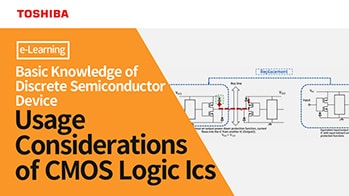
When multiple ICs are connected to the same signal line, a bus conflict (collision) may occur. In this case, controlling the output via the OE pin allows enabling the output only when necessary, while setting other ICs to Hi-Z prevents collisions.
Multiple outputs from a general-purpose CMOS logic IC come into conflict (Short-circuiting)
| Terminal | Explanation | State | Action |
|---|---|---|---|
| DIR | Determine the data communication direction | 1 (High) | A → B |
| 0 (Low) | B → A | ||
| /OE | Determine output ON/OFF | 0 (Low) | Output enabled (ON) |
| 1 (High) | Output disabled (OFF) |
Related Links
The following documents also contain related information.